- Home
- Main Features
- Configure Behavior and Identity
- How to Use Mobile Android Profiles in Multilogin
How to Use Mobile Android Profiles in Multilogin
Author Yelena V (Updated on March 16, 2026)
Updated on March 16, 2026
The Purpose of Android Configuration Files
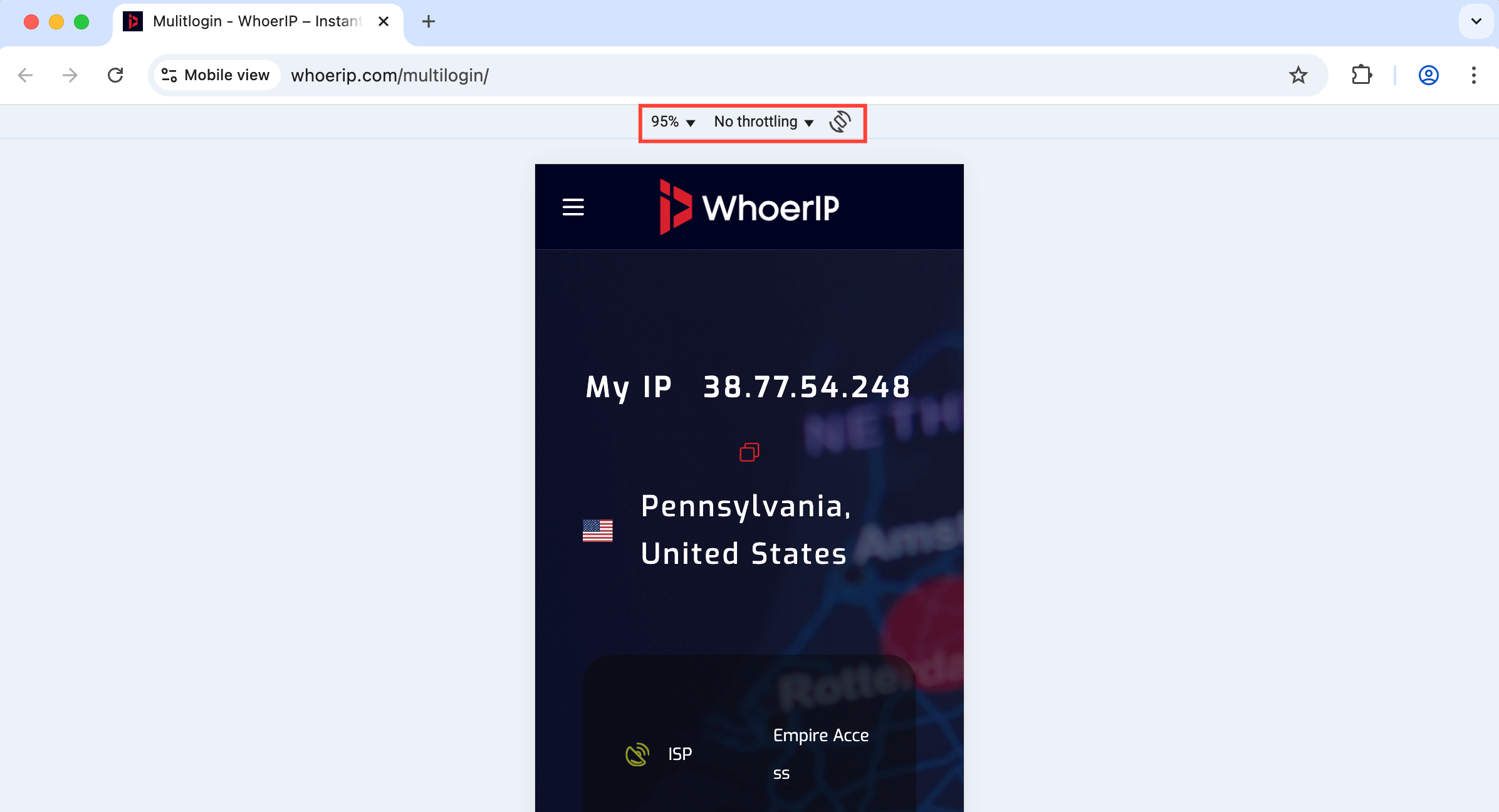
The mobile Android profiles in Multilogin allow you to simulate the behavior of an Android browser. You no longer appear as a desktop user, but as a user browsing with a smartphone. This is crucial when you need to interact with websites or apps optimized for mobile devices.
What are the limitations
- You cannot convert a desktop profile to Android – you must create a mobile profile from scratch
- You cannot install apps — these are not full Android devices, just mobile-style browser environments
Why Android configuration files are useful
- Integrate like a mobile user: Very suitable for websites that provide different content on mobile devices
- Secure account management: Stay low-key on platforms like Reddit, Instagram, or TikTok
- Test mobile experience: Accurately understand how pages look and behave on Android
How Android Configuration Files Work
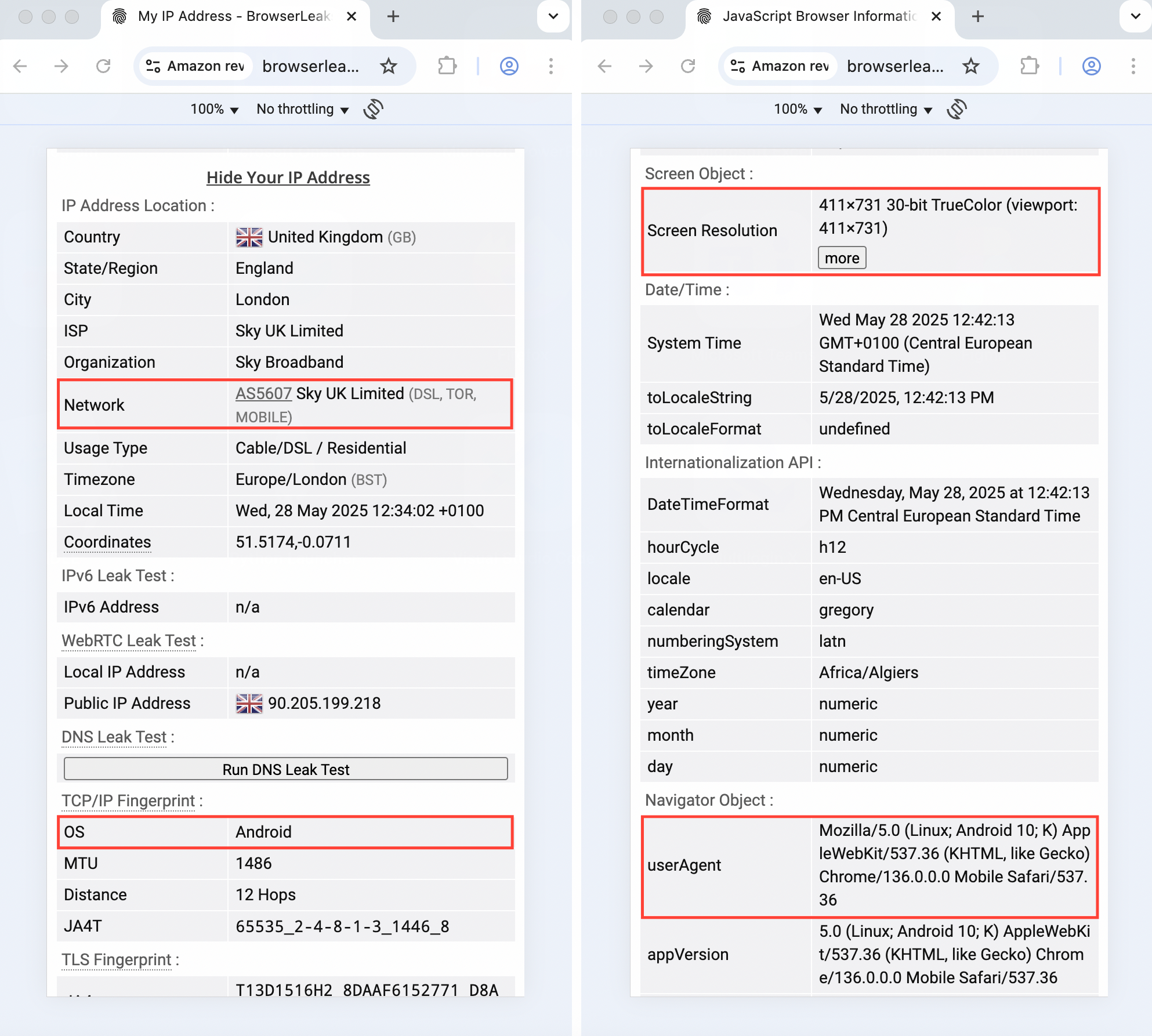
- Android operating system simulation: simulate key mobile features—touch input, screen size, and network behavior
- Custom User-Agent and screen size: adjust User-Agent, viewport, and resolution to match a real Android device
- Fingerprint masking: automatically apply Android-style fingerprints to prevent detection
How to Use Android Configuration Files
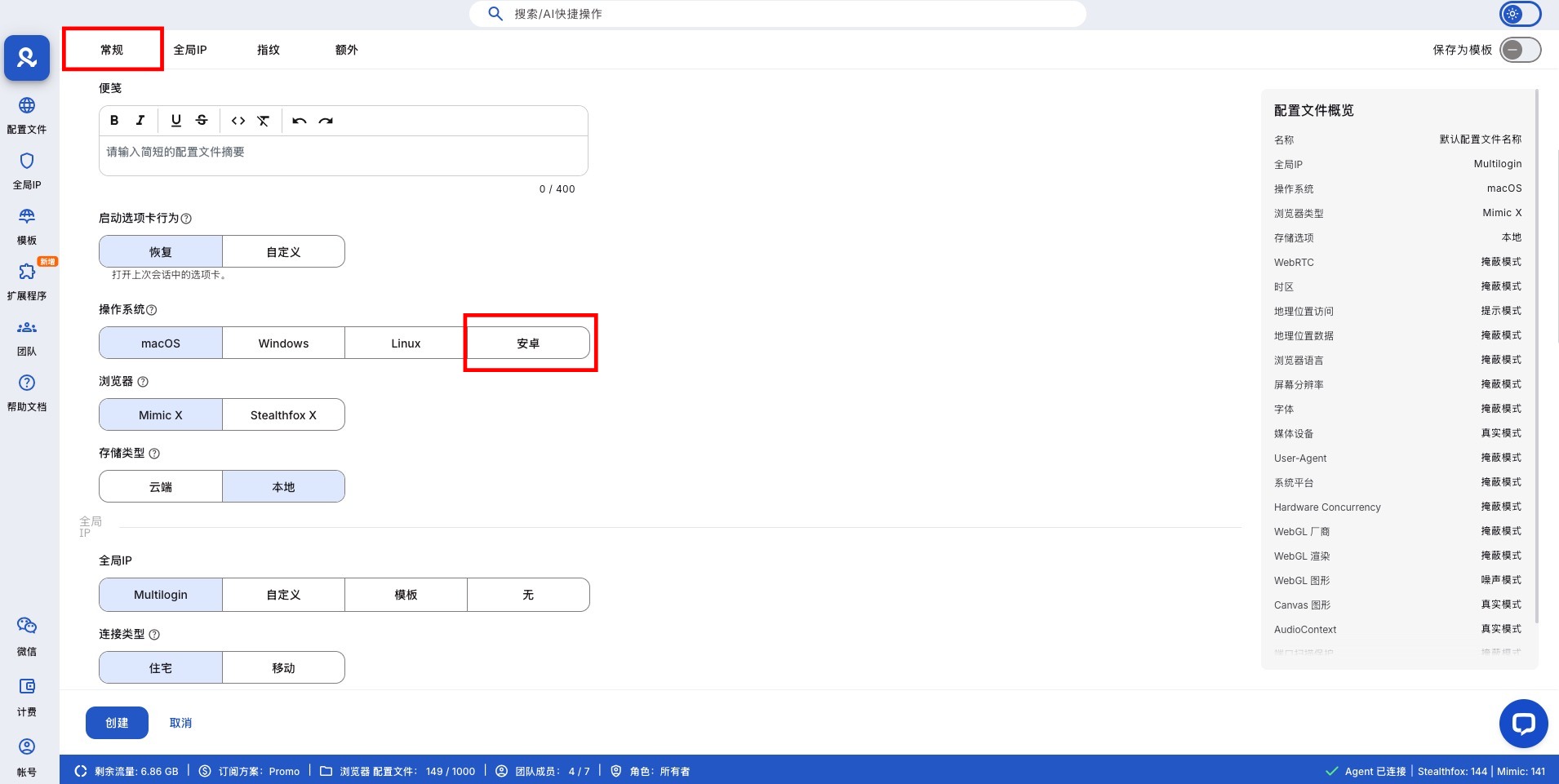
- Click 'Create' or 'Quick' on the main dashboard
- In the 'General' section, set the operating system to Android
Recommended Settings for Android Configuration Files
To maintain the stability of mobile profiles, certain settings are restricted. These settings cannot be set to 'real' and should follow the following best practice values. These defaults help ensure the reliability of mobile workflows and lower detectability.
Scope | Recommended Value
Screen resolution | Masked
Media devices | Masked
WebGL / WebGPU metadata | Masked
WebGL graphics | Noise
Canvas graphics | Real
AudioContext | Noise
Font data | Masked
Frequently Asked Questions
Can I run applications in the Android configuration file?
No – these are just browser-based, not full mobile emulators.
Can I convert my desktop configuration file to an Android configuration file?
No, you need to create a completely new configuration file and set the operating system to Android.
Will moving the profile affect performance?
It will not affect performance; they are lightweight and fast, especially when following the recommended settings.
In this article
- The purpose of Android profiles
- What are the limitations
- Why Android profiles are useful
- How Android profiles work
- How to use Android profiles
- Recommended settings for Android profiles
- Frequently Asked Questions
- Can I run applications in an Android profile?
- Can I convert my desktop profile to an Android profile?
- Does a mobile profile affect performance?
Multilogin Community
Stay informed, share your thoughts, and interact with others!
Read more related content
Related Articles
- How to update the browser core in Multilogin
- How to understand browser profiles in Multilogin
- How to use Mimic (and the old Stealthfox) in Multilogin
- Browser profile settings: General
- Browser profile settings: Global IP
- Browser profile settings: Fingerprint configuration