- Home
- Workspace & Team Management
- Multilogin Team Member Workspace Guide
Multilogin Team Member Workspace Guide
Author Chloe P (Updated on May 21, 2026)
Updated on May 21, 2026
Just received a Multilogin workspace invitation? Click to join! Click "Join" in your email, log in, and switch to the new workspace. Once your role is assigned, you will see the specific content you have access to.
How to Accept a Workspace Invitation
- Click 'Join' in the email invitation and log in or create an account
- Switch to the workspace of the person who invited you
- Once the workspace owner assigns you a role, you will see their profiles and folders
How to Check Your Role in the Workspace
Check the status bar at the bottom of the dashboard – here you can see your role in the workspace.
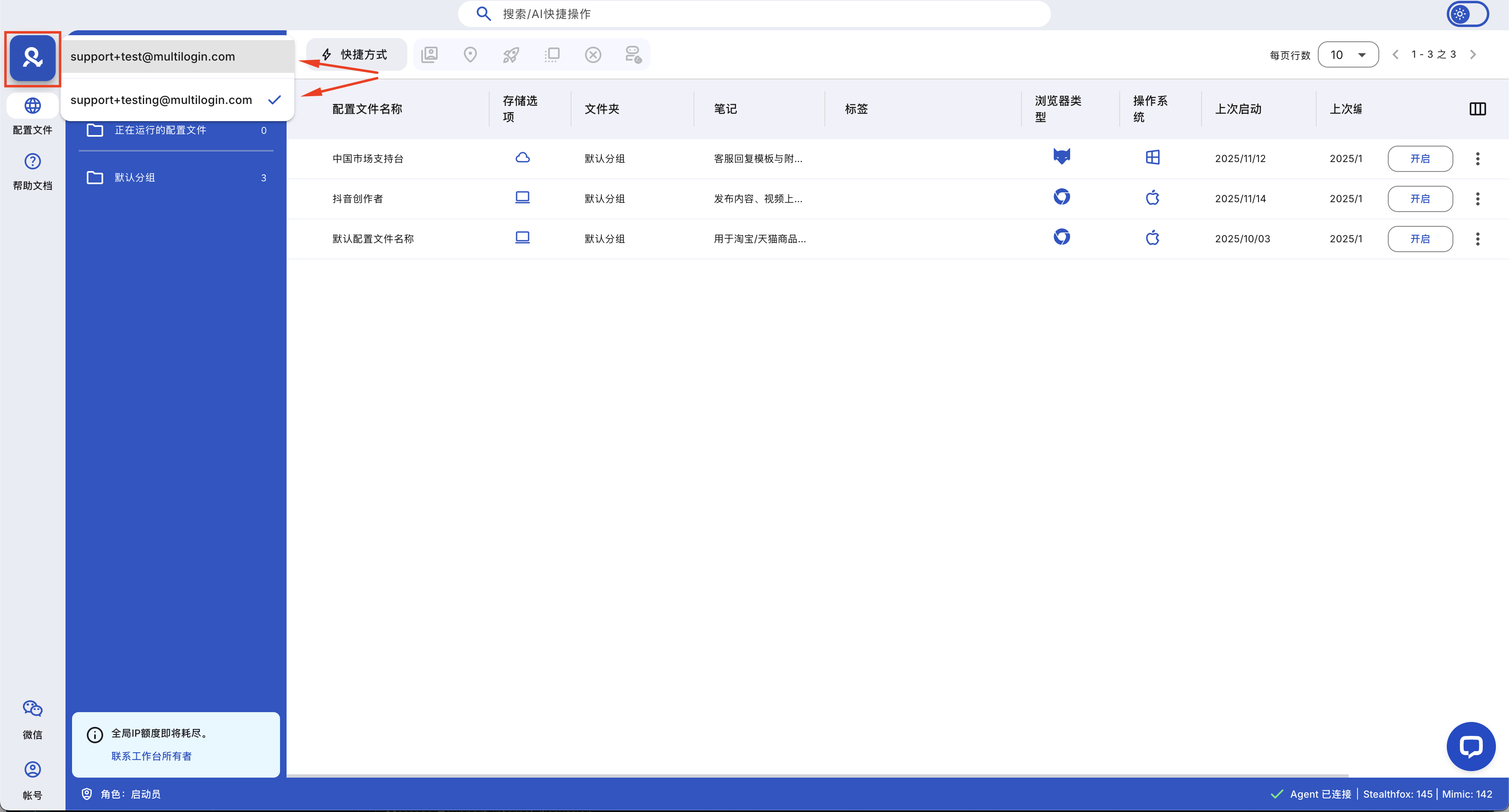
Below is a brief classification of what each team member role can do:
- Owner: The owner of the account — has full control over everything, including subscription plans and team management
- Manager: Responsible for managing profiles, groups, and team members, but does not have permission to touch subscription plan settings
- Operator: Has limited access, can only manage assigned groups and profiles
- Starter: Can only run assigned profiles — no other permissions, can only start and run profiles
Tip: Only the owner can set someone as a manager. If a manager tries to do this, they will receive this error message: "Unable to update team member permissions. Please try again later or contact support."
| Role | Manager | Operator | Starter |
|————|———|———-|———|
| Access | All folders | Assigned folders only | Assigned folders only |
| Profiles | Create profiles, edit profiles, run profiles | Create profiles, edit profiles, run profiles | Run profiles |
| Folders | Move profiles between folders, create, edit, delete folders | Move profiles between folders | 🚫 |
| Notes | Create and edit notes | Create and edit notes | 🚫 |
| Trash | Delete profiles, restore profiles, permanently delete profiles | Delete profiles, restore profiles | 🚫 |
| Team Members | Add and remove operators and starters | 🚫 | 🚫 |
| Subscription Plans | 🚫 | 🚫 | 🚫 |
- All folders
- Assigned folders only
- Assigned folders only
- Create profile
- Edit profile
- Launch profile
- Create profile
- Edit profile
- Launch profile
- Launch profile
- Move profiles between folders
- Create, edit, delete folders
- Move profiles between folders
🚫
- Create and edit notes
- Create and edit notes
🚫
- Delete profile
- Restore profile
- Permanently delete profile
- Delete profile
- Restore profile
🚫
- Add and remove operators and launchers
🚫
🚫
🚫
🚫
🚫
In this article
- How to accept a workspace invitation
- How to check your role in the workspace
Multilogin Community
Stay informed, share your thoughts, and interact with others!
Read more related content
Related Articles
- Team member roles and access levels in Multilogin
- How to manage team members in Multilogin
- Overview of team collaboration in Multilogin X
- How to switch between workspaces in Multilogin
- Best practices for team collaboration in Multilogin