- Home
- Workspace & Team Management
- How to Manage Team Members in Multilogin
How to Manage Team Members in Multilogin
Author Chloe P (Updated on May 21, 2026)
Updated on May 21, 2026
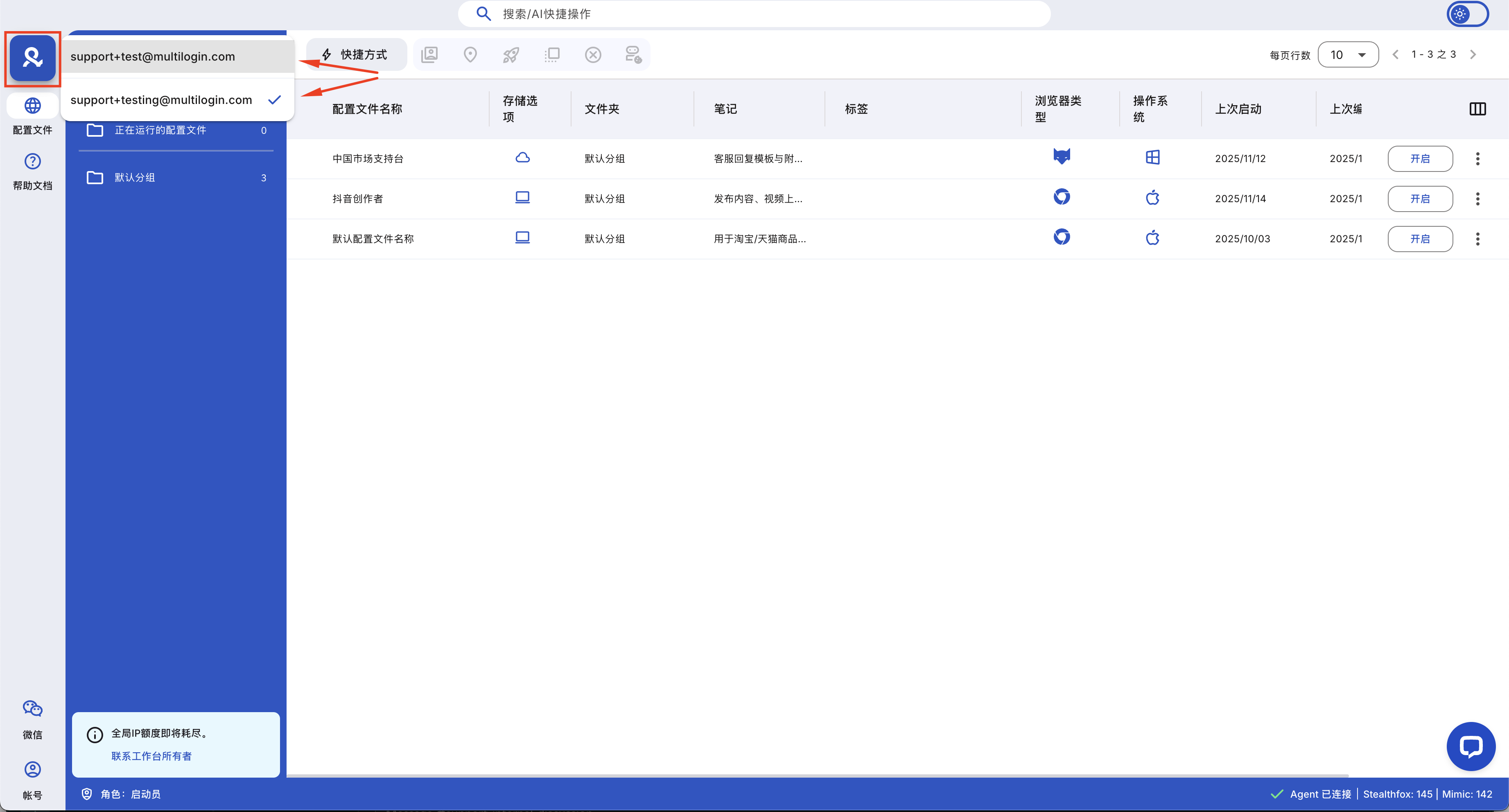
Managing your team in Multilogin is very simple! This guide will show you how to invite new team members, assign roles, and remove them when needed. Let's get started!
How to Invite Team Members
To invite team members, you must be an owner or an administrator.
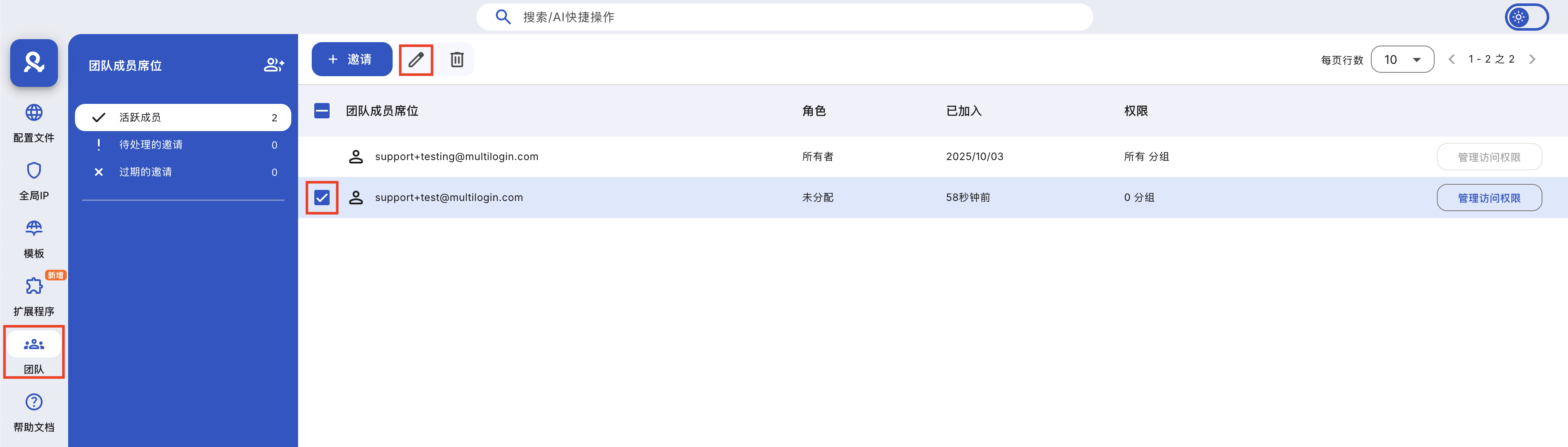
Please follow the steps below to invite team members:
- Go to the "Team" tab
- Click "Invite"
- Specify the email and click "Send Invite"
- Once the invitation is accepted, you can refresh the page and assign roles
Team member invitations in Multilogin are valid for 7 days. If your team member fails to accept the invitation, or if you need to revoke an invitation, please contact our support via online chat or by sending an email to support@multilogin.org.
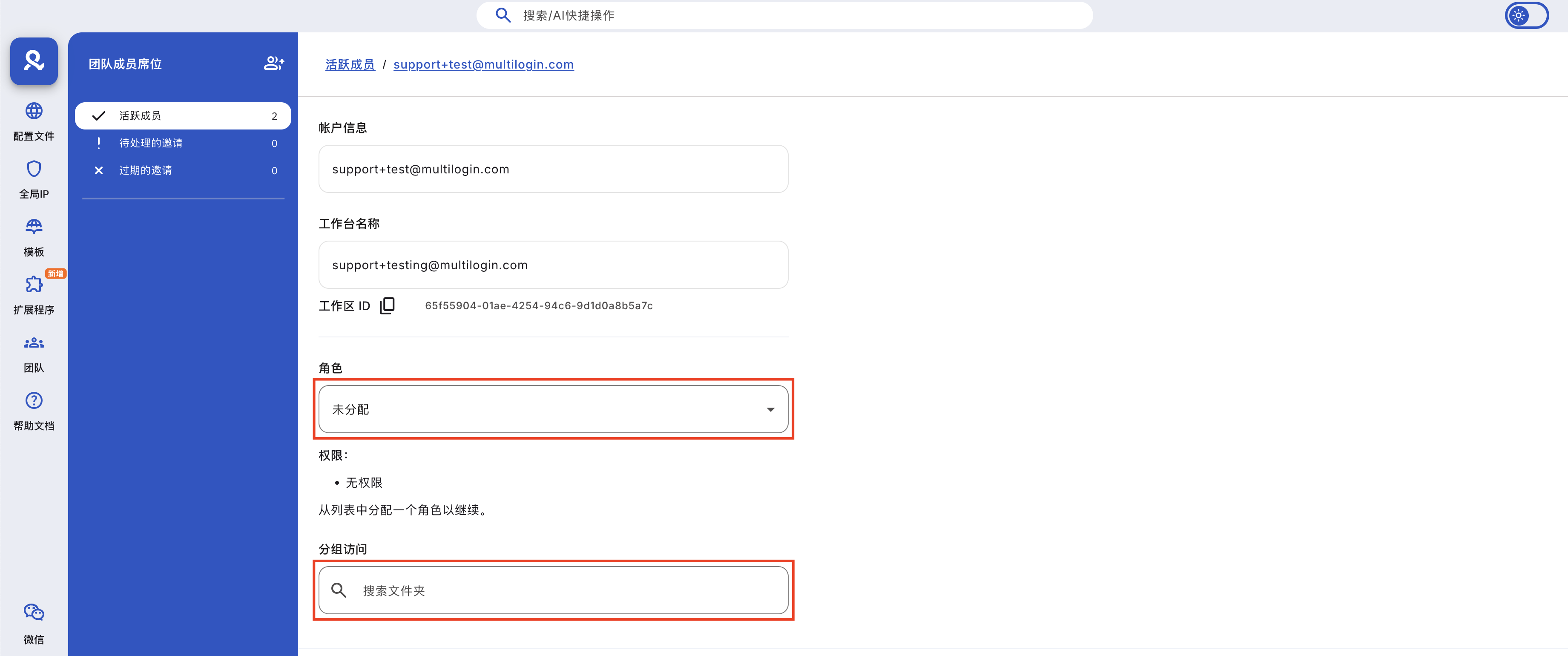
How to Assign Roles to Team Members
Once a team member accepts the invitation, the owner or manager can set their roles:
- Go to the 'Teams' interface
- Click 'Manage Access' next to the team member's name, or use the checkbox to select the team member, then click the 'Manage Access' button in the top menu
- Choose a role appropriate for their responsibilities
- Assign the folders they can access and click 'Save Changes'
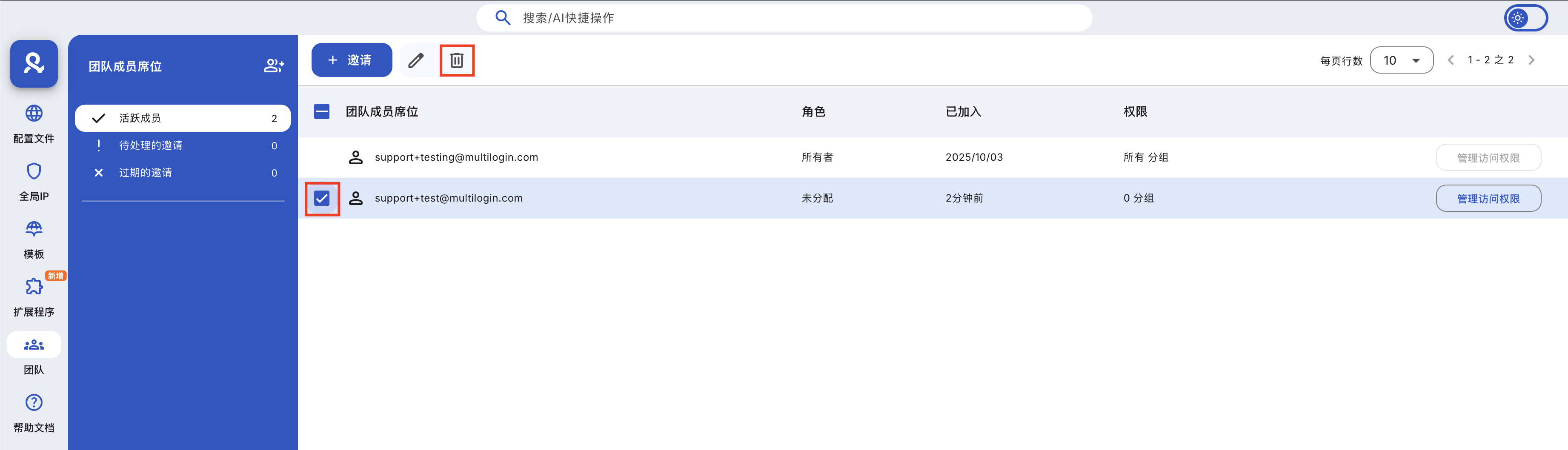
How to Remove Team Members
To remove a team member, you must be an owner or administrator. Owners can delete all other roles, while administrators can only remove operators and initiators.
Follow these steps to delete a team member:
- Go to the 'Team' tab
- Use the checkboxes on the left to select the team members you want to remove
- Click the 'Remove Team Member' button in the top menu
- Click 'Delete' in the pop-up window to confirm
In this article
- How to invite team members
- How to assign roles to team members
- How to remove team members
Multilogin Community
Stay informed, share your thoughts, and interact with others!
Read more related content
Related Articles
- Team member roles and access levels in Multilogin
- Overview of teamwork in Multilogin X
- How to switch between workspaces in Multilogin
- Multilogin team member workspace guide
- Best practices for team collaboration in Multilogin